
A squeeze page is a webpage that is designed to capture email addresses from visitors. It is a type of landing page that usually offers something valuable in exchange for the visitor’s contact information. To build a squeeze page with systeme.io, you will need:
- A systeme.io account
- A template
You can follow these steps to create your squeeze page
- Go to the funnel on which you would like to add a squeeze page, then on the left side of your funnel pages menu, click on “Create step”.
- From the “Type” field, select “Squeeze page”.
- Next, select one of the templates by clicking on “select”.
- Finally, click on “Edit page” to go to the page editor and configure your squeeze page.
You can customise your squeeze page by adding elements, changing colours, fonts, images and text. You can also integrate your squeeze page with systeme.io’s own email marketing tool.
How to download this Squeeze Page template?
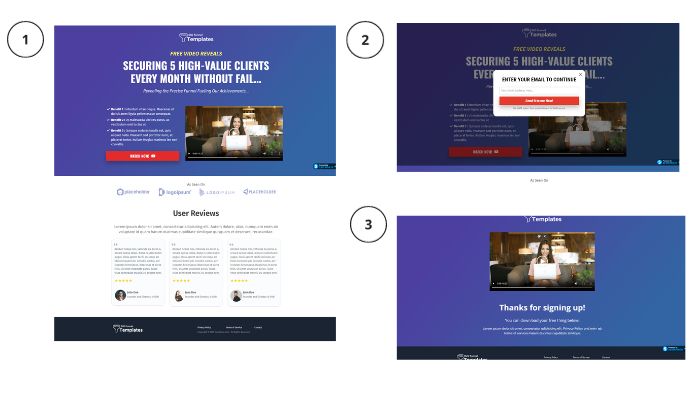
To download this template just follow the steps below:
Step 1: Log in to your Systeme.io account, or you can also create one for free by clicking the button below.
Step 2: To download this template just click on the button below and the template will be automatically imported into your systeme.io account.
Systeme.io is one of the best squeeze page builders for your online business, as it offers:
- Quick and easy to build new landing pages
- Smooth and simple builder features
- Effective templates
- Design freedom
- Efficient testing
- Integration
- Reasonable pricing
You can learn more about systeme.io and its features by taking the free Systeme.io Official Certification.